MQTT基础概念: MQTT是一种通信架构; MQTT中有三个概念:
主题(Topic)
发布(Publish)
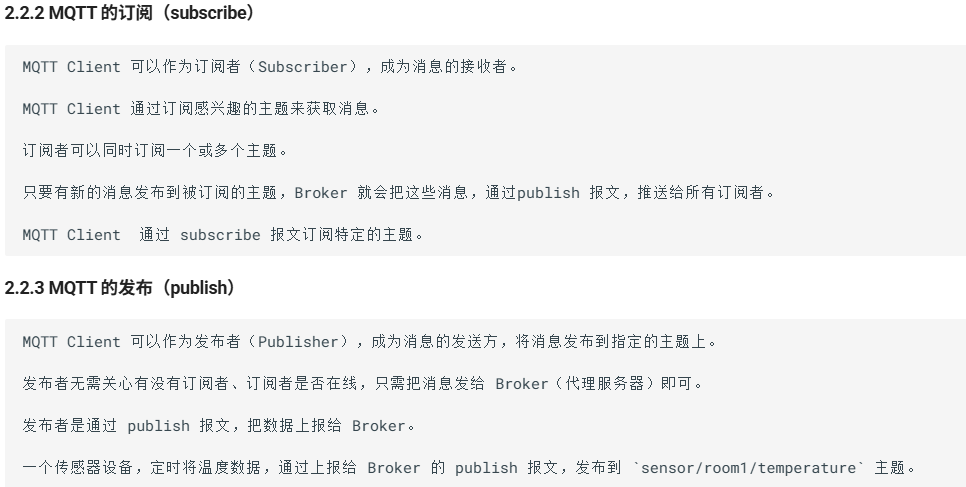
订阅(Subscribe)
主题是一种寻址方式,类似于Window的文件夹多级目录
例如 factory/line1/machine3/temperature 等等,不同的Topic指向不同的内容以及类别; 客户端Client可以即作为发布的来源也可以订阅发布的内容;
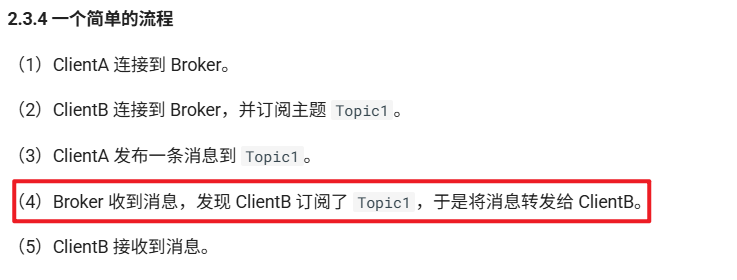
而Broker作为信息的中转站,接收发布的信息并推送给订阅的用户端;
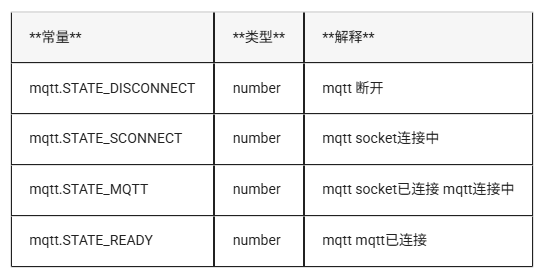
发布者无需担心是否将信息发送给了订阅者,准确来说发布者与订阅者之间不是直连的! LuatOS中MQTT的API 常量:
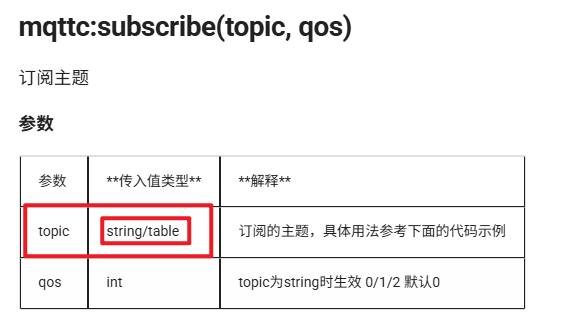
订阅主题:
1 2 3 4 mqttc:subscribe({["/luatos/1234567" ]=1 ,["/luatos/12345678" ]=2 })
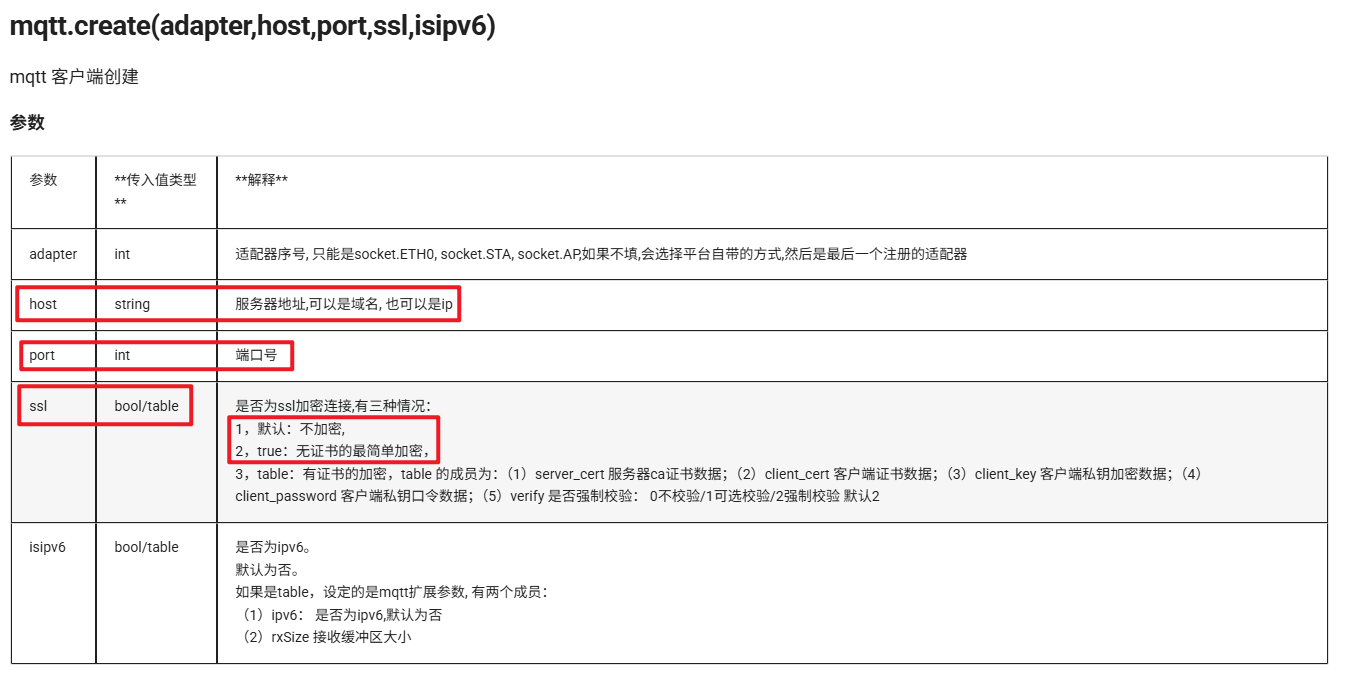
创建Client:
1 2 3 4 5 6 7 8 9 10 11 12 mqttc = mqtt.create (nil ,"120.55.137.106" , 1884 ) mqttc = mqtt.create (nil ,"120.55.137.106" , 1884 , nil , {rxSize = 4096 }) mqttc = mqtt.create (nil ,"120.55.137.106" , 8883 , true ) mqttc = mqtt.create (nil ,"120.55.137.106" , 8883 , {server_cert=io .readFile("/luadb/ca.crt" )}) mqttc = mqtt.create (nil ,"120.55.137.106" , 8883 , {server_cert=io .readFile("/luadb/ca.crt" ), verify=1 }) mqttc = mqtt.create (nil ,"120.55.137.106" , 8883 , {server_cert=io .readFile("/luadb/ca.crt" ),client_cert=io .readFile("/luadb/client.pem" ),client_key=io .readFile("/luadb/client.key" ),client_password="123456" ,})
上述MQTT的通信协议为TCP,官方文档说不支持Websocket!
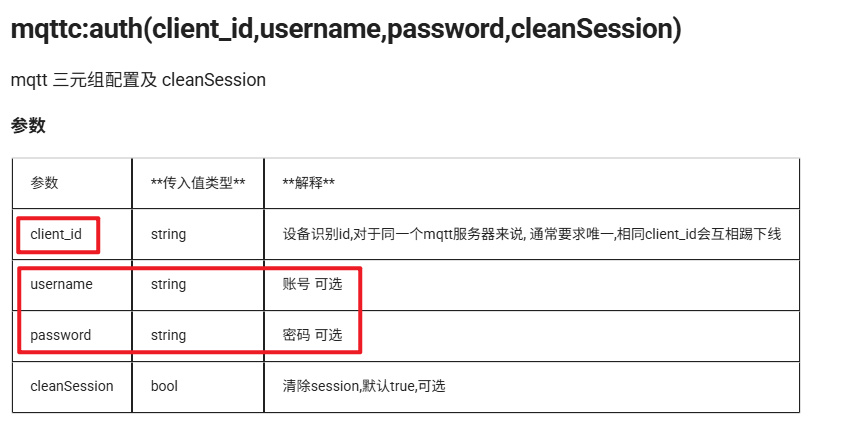
设置登录Client的信息:
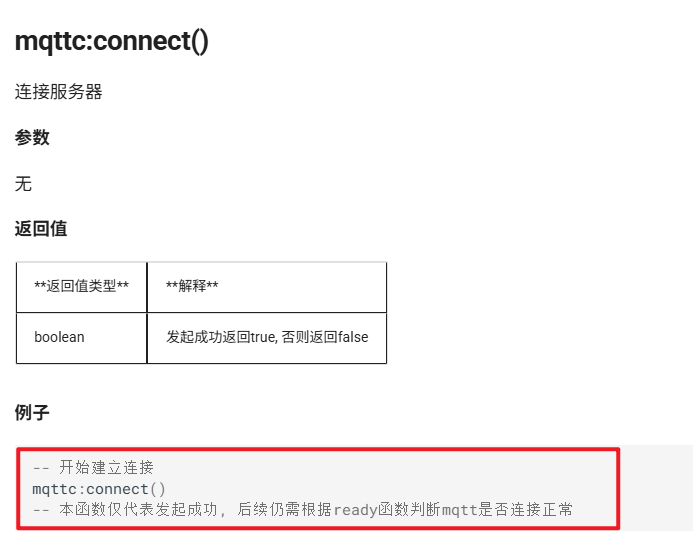
MQTT服务器连接:
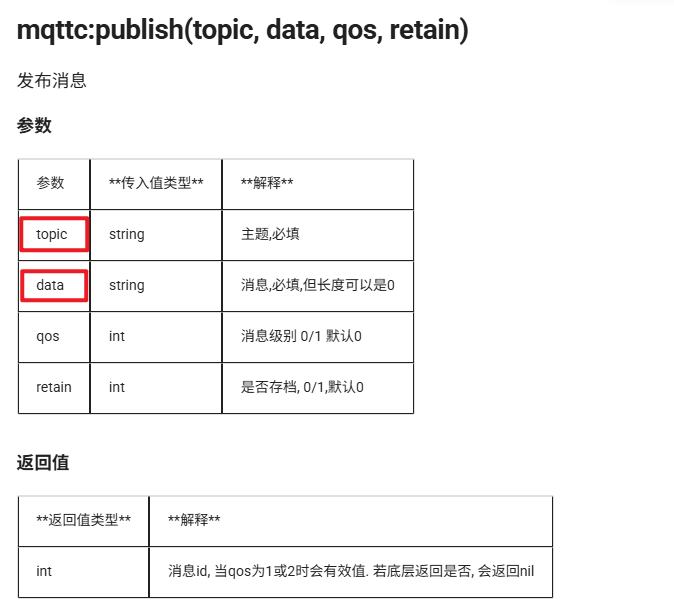
MQTT发布:
1 2 mqttc:publish("/luatos/123456" , "123" )
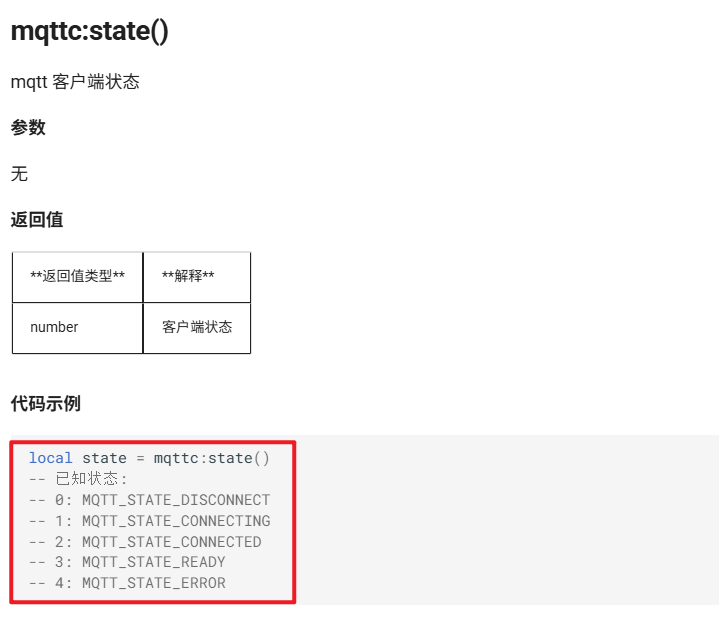
检测状态:
Lua语言的整体框架 在Lua中,通过调用 require("sys") 定义一个实例sys,可以通过这个实例来创建系统任务:
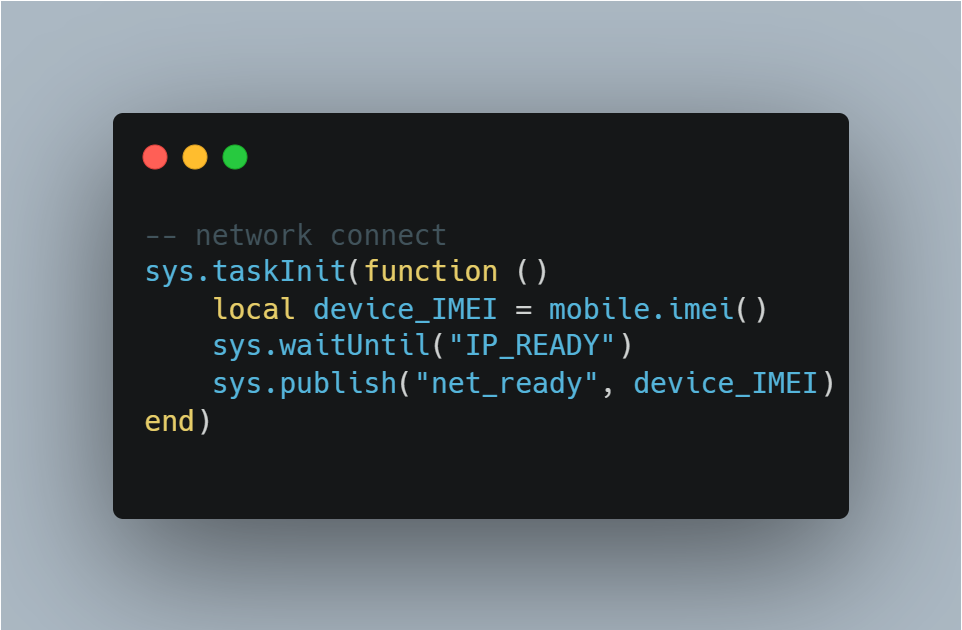
1 2 3 sys.publish("net_ready" , device_IMEI) sys.waitUntil("net_ready" )
这两句代码实现。一个用于发布一条事件,另一个等待该事件的完成,由此得到一个执行的先后顺序;
MQTT+Lua语言示例代码: 1 2 3 PROJECT = "mqttdemo" VERSION = "1.0.0"
.lua文件的开头必须要PROJECT的名称以及VERSION的版本;
1 2 3 4 5 6 7 8 9 10 11 12 13 local mqtt_host = "lbsmqtt.airm2m.com" local mqtt_port = 1884 local mqtt_isssl = false local ca_file = false local client_id = "mqttx_b55c41b7" local user_name = "user" local password = "password" local pub_topic = "/luatos/pub/123" local sub_topic = "/luatos/sub/123"
用户的参数配置:
结束的语句,启动sys并且循环运行任务列表里面的任务。 整体的流程:
设置两个系统内部任务,任务一为联网,4G模块提供SIM卡成功联网并且返回设备的IMEI号;
设置第二个任务,将设备的IMEI号分配给Client,并且设置发布、订阅的主题,确保独立性;
创建mqtt连接(不一定正常连接上),以设备号以及预设置的user name和password配置mqtt,可以设置自动重连;
编写mqtt回调函数,在mqtt回调函数中检测事件,当连接上mqtt时将数据打包并且通过publish发给broker;
1 2 3 4 5 6 7 8 9 10 11 12 13 14 15 16 17 18 19 20 21 22 23 24 25 26 27 28 29 30 mqttc:on(function (mqtt_client, event, data, payload) log .info("mqtt" , "event" , event) if event == "conack" then sys.publish("mqtt_conack" ) mqtt_client:subscribe(sub_topic) local imei = mobile.imei() local csq = mobile.csq() local voltage = mobile.getVbatt() local device_data = json.encode({ imei = imei, csq = csq, voltage = voltage, timestamp = os .time () }) log .info("mqtt" , "publish data" , device_data) mqtt_client:publish(pub_topic, device_data, 0 ) gpio.set(11 , 1 ) end end )
一些Lua语言的细节:
1 2 3 4 5 6 7 8 9 10 11 12 13 14 15 16 17 18 19 20 21 22 23 _G .sys = require ("sys" )_G .sysplus = require ("sysplus" )_G .mobile = require ("mobile" )_G .uart = require ("uart" )uart.setup( uart_id, uart_baud, uart_bitwidth, uart_stopbit ) sys.taskInit(function () local device_id = mobile.imei() sys.waitUntil("IP_READY" ) sys.publish("net_ready" , device_id) end )
下面是一个完整的脚本,具体的内容如下:
任务一:实现联网功能并在联网后发布事件;
任务二:等待联网事件,并根据IMEI设置client-id以及发布、订阅主题;之后根据配置创建mqtt连接并尝试连接;在mqtt回调函数中,如果连接上了则通过串口向单片机发送信息,并发布mqtt连接事件;
任务三:等待mqtt连接事件,之后开始接收单片传入的数据并且定位数据位置,将数据打包并通过mqtt上传云端;
1 2 3 4 5 6 7 8 9 10 11 12 13 14 15 16 17 18 19 20 21 22 23 24 25 26 27 28 29 30 31 32 33 34 35 36 37 38 39 40 41 42 43 44 45 46 47 48 49 50 51 52 53 54 55 56 57 58 59 60 61 62 63 64 65 66 67 68 69 70 71 72 73 74 75 76 77 78 79 80 81 82 83 84 85 86 87 88 89 90 91 92 93 94 95 96 97 98 99 100 101 102 103 104 105 106 107 108 109 110 111 112 113 114 115 116 117 118 119 120 121 122 123 124 125 126 127 128 129 130 131 132 133 134 135 136 PROJECT = "AIR780EG_DEMO" VERSION = "1.0.0" _G .sys = require ("sys" )_G .sysplus = require ("sysplus" )local wdt = require ("wdt" )local log = require ("log" )local uart = require ("uart" )local mobile = require ("mobile" )local mqtt = require ("mqtt" ) local rtos = require ("rtos" ) local pm = require ("pm" ) if wdt then wdt.init(9000 ) sys.timerLoopStart(wdt.feed, 3000 ) end local uart_id = 1 local uart_baud = 115200 local uart_bitwidth = 8 local uart_stopbit = 1 uart.Setup(uart_id, uart_baud, uart_bitwidth, uart_stopbit) local mqtt_host = "lbsmqtt.airm2m.com" local mqtt_port = 1884 local mqtt_isssl = false local ca_file = false local client_id = "air780eg" local user_name = "user" local password = "password" local mqttc = nil local publish_topic = "/air780eg/publish/123" local subscribe_topic = "/air780eg/subscribe/123" local IsFirstConnect = true if rtos.bsp() == "EC618" and pm and pm.PWK_MODE then pm.power(pm.PWK_MODE, false ) end sys.taskInit(function () local device_IMEI = mobile.imei() sys.waitUntil("IP_READY" ) sys.publish("net_ready" , device_IMEI) end )sys.taskInit(function () local ret, IMEI = sys.waitUntil("net_ready" ) if ret then client_id = IMEI publish_topic = client_id .. "/publish" subscribe_topic = client_id .. "/subscribe" if IsFirstConnect then uart.write (uart_id, "IMEI: " .. IMEI .. "\r\n" ) uart.write (uart_id, "publish_topic:" .. publish_topic .. "\r\n" ) uart.write (uart_id, "subscribe_topic:" .. subscribe_topic .. "\r\n" ) IsFirstConnect = false end end mqttc = mqtt.create (mqtt_host, mqtt_port, mqtt_isssl, ca_file) mqttc:auth(client_id, user_name, password) mqttc:autoreconn(true , 3000 ) mqttc:on(function (mqtt_client, event, data, payload) if event == "conack" then uart.write (uart_id, "MQTT Connect\r\n" ) sys.publish("mqtt_ready" ) elseif event == "recv" then log .info("mqtt" , "收到消息" , data, payload) elseif event == "sent" then log .info("mqtt" , "发送成功" , data) elseif event == "disconnect" then log .warn("mqtt" , "断开连接" ) end end ) mqttc:connect() end )sys.taskInit(function () sys.waitUntil("mqtt_ready" ) log .info("uart" , "开始监听 UART 数据上传" ) local buffer = "" uart.on(uart_id, "receive" , function (id, len) local data = uart.read (id, len ) buffer = buffer .. data while buffer:find ("\r\n" ) do local packet, remain = buffer:match ("^(.-)\r\n(.*)$" ) buffer = remain or "" log .info("uart" , "收到数据" , packet) uart.write (uart_id, "Receive Finish!\r\n" ) if mqttc then mqttc:publish(publish_topic, packet, 0 ) end end end ) end )sys.run()